
Voices and expression
User guideHow do I choose another voice?
In Create, change Voice 1 or Voice 2. Open Voice settings… and use the line preview to try it. In MIDI Lab, click Apply voices to update vocals.
How do I use a second singer?
Enable Enable Voice 2 and choose a voice. In Lyrics to Song, the second voice initially sings choruses; enable Voice 2 in verses for verses too. In MIDI Lab, also choose its melody track before applying voices.
How do I adjust a voice's character or clarity?
Open Voice settings… and select Male voices or Female voices. Try small changes to consonant volume, articulation rate, breath or roughness, listening to the same line each time. Settings affect every voice of that type in the current project.
How do I smooth the transition between syllables?
In Voice settings…, increase overlap slightly and listen. Reduce it if words become less clear. Articulation rate changes how quickly a syllable is pronounced without changing the song's tempo.
How do I add expression to a syllable?
In MIDI Lab → Lyrics & pronunciation…, select a syllable and enable vibrato, tremolo, fade-in or fade-out. Combine effects and choose an ornament. Preview and click Apply voices. If a note is too short for an ornament, choose None or lengthen it.
How do I compare with the original voice or reset settings?
Use the unprocessed preview, then the normal preview to compare. Click Reset this voice type to restore defaults for the currently selected voice type.
How do I hear only accompaniment or one voice?
In Lyrics to Song, disable Enable singing voices for instrumental playback. In Shape, use Mute to silence a track or Solo to hear only soloed tracks. Solo also affects visual tracks.
On screen: Voice settings
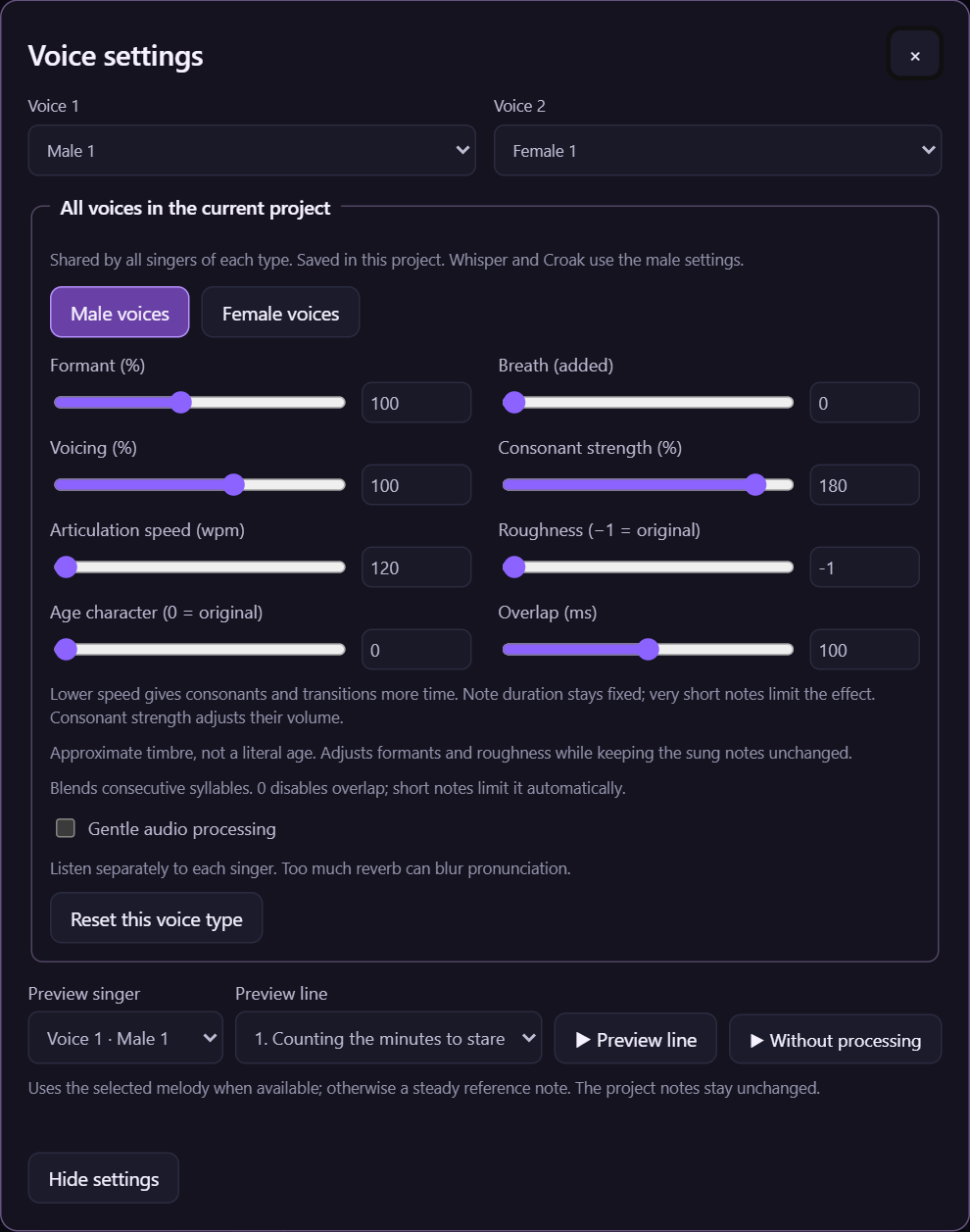
Figure 8. Choose a voice type, try small adjustments and preview a line. Use the unprocessed preview to compare with the original voice.