Overview
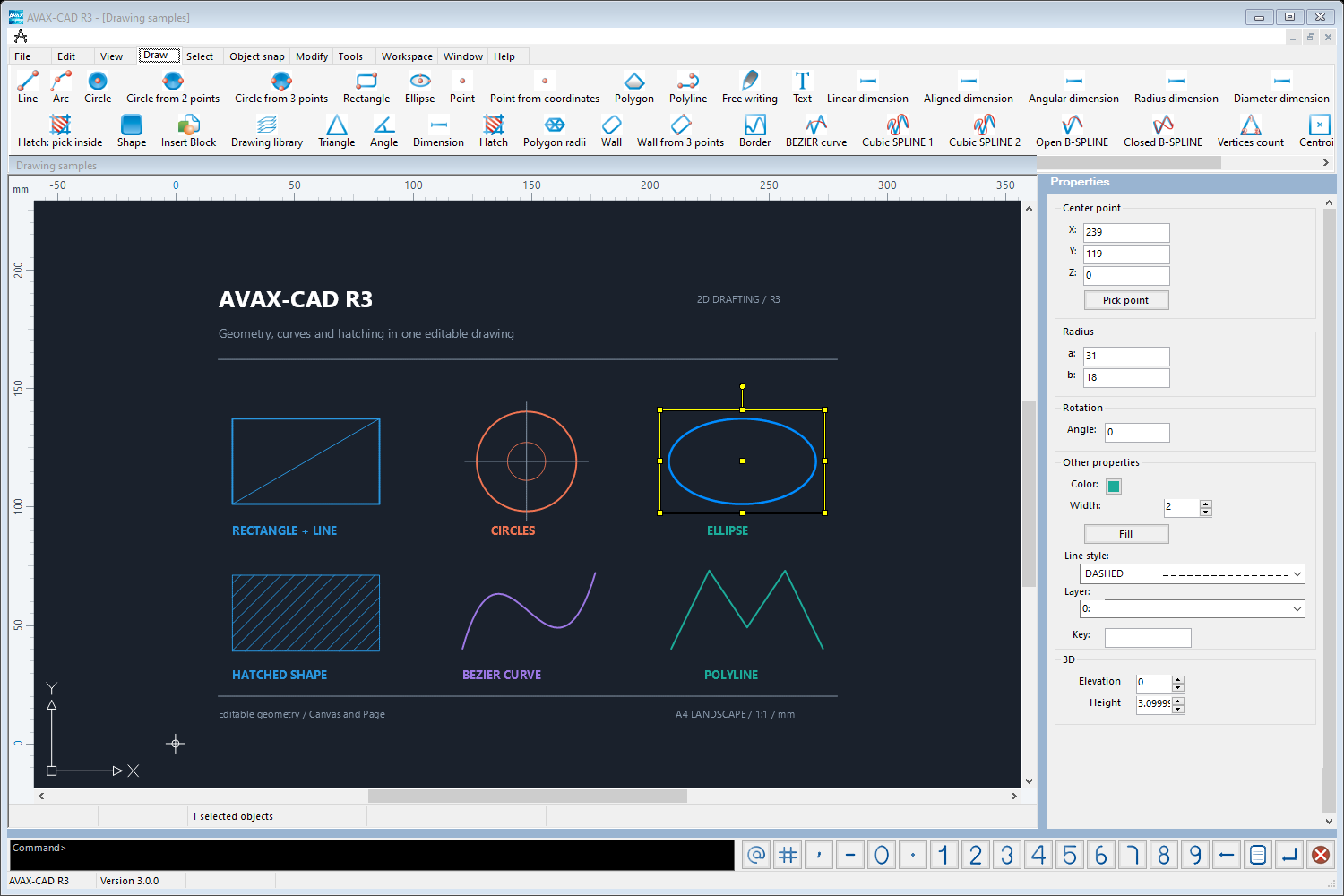
A complete workspace for everyday 2D technical drawing. AVAX-CAD R3 is a standalone drawing application for architects, civil, electrical and mechanical engineers, surveyors, designers, students and anyone working with geometry.
Create geometric objects, add text and patterned fills, reuse details as blocks and organise drawings with layers and styles. Refine your work with precise editing tools, snaps, dimensions and measurements, then exchange files, preview the result and print at scale.
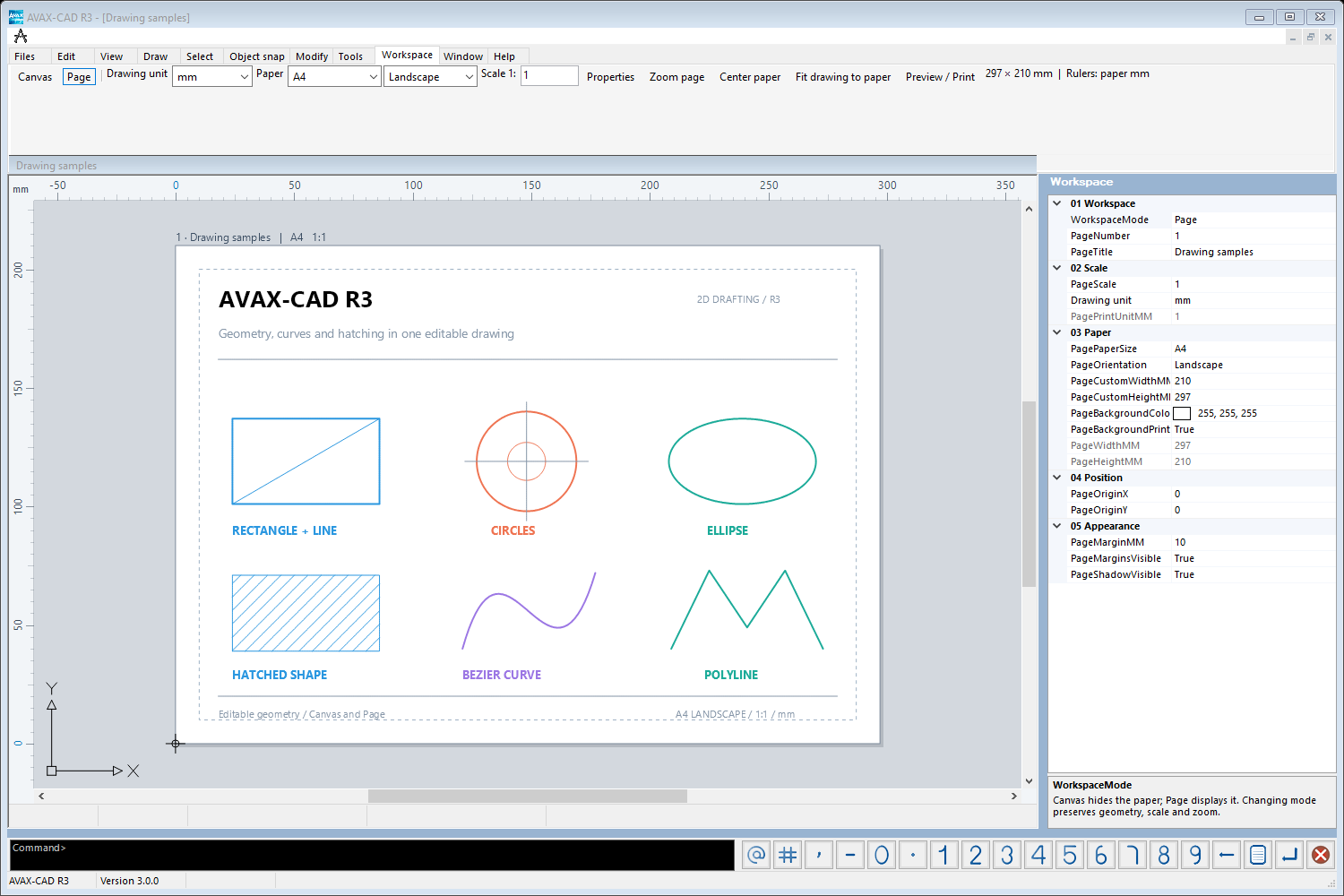
Switch between an open drawing canvas and a paper view with margins, orientation, drawing units and print scale. Switching keeps geometry, zoom and page scale.
Native Dimensions & Hatches
Linear, aligned, angular, radius and diameter dimensions with editable styles, plus associative PAT, solid and gradient hatches with islands and transparency.
Read and write DXF/DWG, preserve native dimensions and hatches in supported exchange formats, and keep opening older AVX drawings.
Features
Draw, edit, organise and print geometry, text, images and reusable blocks in one Windows application:
Geometric drawing: lines, points, polylines, arcs, circles, ellipses, polygons and Bézier curves.
Text using Windows fonts, plus text or RTF content brought into the drawing.
Filled shapes with solid colours, hatch lines, AutoCAD PAT patterns, bitmap images or supported animations. Drawing order controls overlapping shapes.
Reusable blocks: create and insert groups of drawing objects for repeated details.
Copy, move, scale, rotate, mirror and stretch geometry; arrays and copies at a specified distance.
Trim, fillet, extend and offset objects, and line hatching for technical drawings.
Selection windows, crossing or enclosed selection, select all, and add/remove from the selection.
Grid and grid snap, plus endpoint, midpoint, nearest, intersection, perpendicular, tangent and centre object snaps.
Dimension lengths and angles; measure distances and areas directly from the drawing.
Undo/Redo, and copy, cut and paste of drawing objects and supported graphics.
Layers, colour palettes, line widths, line and point styles and font tables. ByLayer colour and line style, or per-object attributes.
Zoom window, extents, all, dynamic zoom, pan and previous views. Rulers, coordinate-based tools and multiple drawing windows.
Double-precision coordinates and editable shape properties in the Properties panel.
Import: native AVAX and older AVX drawings, AutoCAD DXF/DWG, SVG, XML, PLT and supported SHP content.
Insert BMP, JPEG, ICO, WMF and PCX images or TXT/RTF content, and capture a picture from a connected webcam.
Export: DXF, DWG, SVG, SWF, PLT, PIC, BMP, WMF, PDF, XML and RTF.
Print preview and printing at the selected scale, with fit-to-page and multiple-page output.
More
Keep your drawing editable. Native .avax files preserve the v.3 drawing data, editable dimensions, hatch associations and workspace settings. Older .avx drawings remain readable.
Supported entities and format-specific limits apply. Legacy AVX output converts new dimensions and hatches to legacy graphics. DXF/DWG exchange does not create paper layouts from the Canvas / Page settings. Workspace print preview and PDF output use rasterised pages.
The AVAX-CAD application license is separate from the AVAX Vector .NET developer SDK license.
Images