Store/Melobytes Draw

Melobytes Draw

Your ideas. Your canvas. Create vector drawings, illustrations and multi-page designs with editable shapes, precise curves, text and creative image effects.

Desktop App v.1 New

Overview

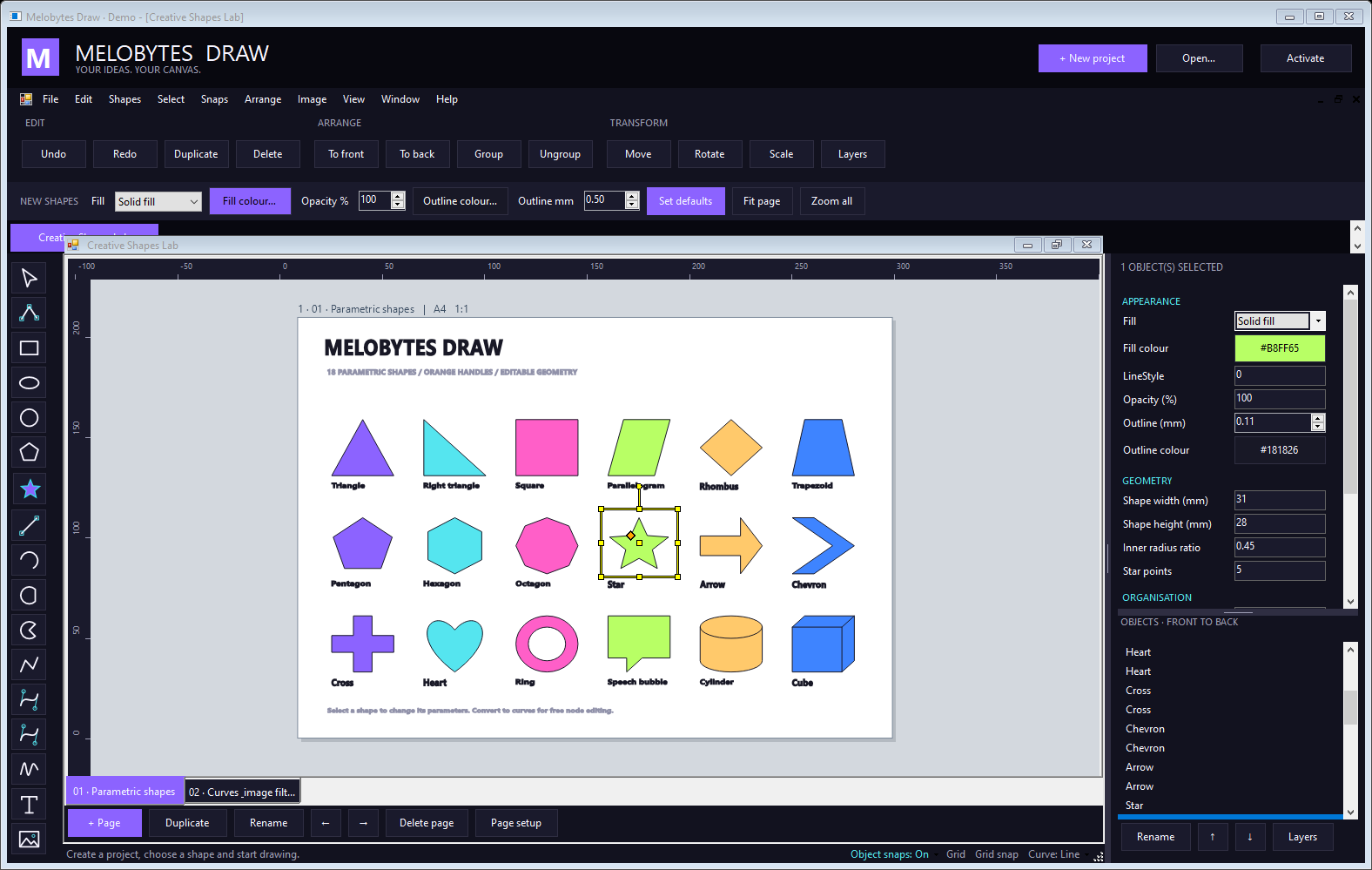
Melobytes Draw brings your ideas onto the page. This Windows desktop application combines vector shapes, editable curves, text and images in a dark creative workspace. Build an illustration, lay out a poster or work on several pages and projects side by side.

Start with a simple shape, refine its geometry and arrange the details with layers, alignment and snapping. Add colour, gradients and image effects, then save your project or export the result for sharing and printing with an activated license. From a quick sketch to a multi-page composition, keep shapes, text and embedded images together in an editable .meldraw project.

Draw

Shapes, curves and freehand. Parametric shapes remain adjustable as you work: change a star's point count, reshape an arrow or convert an object to curves for node editing.

Refine

Colour, layers and effects. Image effects are nondestructive: preview, compare with the original, reorder or disable effects and apply the result as a single Undo step.

Share

Save, export and print. Export pages to PNG, JPEG, SVG or vector PDF, exchange DXF/DWG and AVAX drawings, or print all pages. Requires activation.

Features

Everything you need to turn an idea into finished artwork:

Vector drawing tools: rectangles, ellipses, circles, polygons, lines, arcs, polylines, Bézier construction and freehand drawing. 18 parametric shapes, including stars, arrows, hearts and speech bubbles, with editable geometry and on-canvas control points. Editable compound curves: mix lines, arcs and cubic Bézier segments; refine nodes and tangents, split segments, combine or join paths. Flexible appearance: solid fills, two-colour gradients, opacity, outline widths and line styles, plus text using your system fonts. Organised artwork: layers, groups, object order, alignment and distribution, with move, scale, rotate and mirror tools. Precise placement: rulers, grid and object snapping, selection handles and a Properties panel for detailed adjustments. 17 image effects: stack colour adjustments, blur, sharpen, pixelate, vignette and more while preserving the original image. Multi-page projects: add, duplicate, rename and reorder pages; choose standard paper sizes, custom dimensions or creative presets. Multiple project windows: tile, cascade or maximise open projects, with Undo/Redo and clipboard editing. Import SVG, DXF/DWG, AVAX drawings and bitmap images into the current page, or an AVAX drawing as a separate page. Export the active page to PNG, JPEG, BMP, GIF, TIFF, SVG or vector PDF, plus DXF/DWG, HPGL and native AVAX formats. Export all pages together as a PDF, or send them to a printer.

More

Keep your work editable. The native .meldraw format stores multiple pages with their shapes, text and embedded images.

Format-specific limits apply. DXF/DWG export does not embed bitmap images. All-page PDF and printing use rasterised pages; active-page PDF and SVG use vector output. PNG export uses a white page background.

The interface is available in English, Greek, Italian, French and German.

Images